Indigo 1.3


Today’s update to Indigo is a real juicy one. We’ve got a bunch of big improvements across the app and a new pricing option for single-network users.

Single Service Pricing
From its inception, our goal for Indigo was to create the best experience for users of both Bluesky and Mastodon. While we have plenty of room to improve, I think we’ve succeeded in that goal.
The other part of that goal was to provide a best-in-class client for Bluesky or Mastodon. While there’s much more competition in this space, we were hopeful we could put up a good fight. One of our major drawbacks though, was our pricing. We’d priced Indigo for users of both networks, making it seem quite expensive if you only used one. Today we’re adding a much more competitive price ($19.99) that lets users sign into Bluesky or Mastodon, with as many accounts as they like. Hopefully this opens up Indigo to a much wider audience.

Timelines, Feeds, & Carousels
One of the hardest parts of designing an app is accepting that not everyone is going to use it the way you do. My usage (and Aaron’s) is very focused on the timeline of users I follow, in chronological order, and I do my best to keep up with everything.
By modern social media standards, this is very weird.
Indigo already supported viewing other feeds and lists you followed, but it was a second tier experience, requiring additional taps and didn’t support all the same timeline filtering features. Indigo 1.3 has some big improvements.
Carousel
The main view of the app is now a carousel, letting you swipe left and right between your most important timelines. If you want your Bluesky For You feed to be the first thing you see when you open the app, you can do that now.
Unified Timelines
You can now unify chronological timelines, combining Bluesky and Mastodon into custom unified timelines. If you have a bunch of accounts you follow on both networks for sports or video game news, etc. you can now bring them together for that ideal Indigo experience.
Saved Timelines
For the timelines you care about, but not quite so much to have them in the carousel, you can now save them. These timelines will be cached locally, and can take advantage of mute filters and timeline filters.
For the timelines you don’t really care about, they’re still fetched on demand as before.

Paired Profiles
A lot of features in Indigo are powered Paired Profiles, which are accounts across both networks that represent the same person.
Previously, Indigo would automatically detect these, save them, and use them when calculating whether timeline posts were cross-posts. The issue was, if two accounts were incorrectly paired, this would result in worse cross post detection and you wouldn’t know why. So we made two big improvements:
Paired Suggestions
When Indigo detects two accounts it thinks are related, it now offers them as a a suggested pair, and you can confirm or deny in settings.
Manual Pairing
You can now just manually pair two accounts so Indigo knows they’re the same person. Simple and effective.
Improving paired profiles laid the foundation for the next two features:

Magic Mentions
We first introduced the idea of Magic Mentions in Croissant, allowing you to mention a person across Bluesky, Mastodon, and Threads. With Indigo, we tried to streamline the experience by bringing it all inside the compose view. That may have been a little too ambitious. It was hard to convey all the complexity in such a small amount of space and it caused a bit of confusion.
Indigo 1.3 now splits the functionality so lookup can happen inline, but if you need to pair two previously unknown accounts, that now happens in a separate, more intuitive view, closer to how we did it in Croissant originally. Best of both worlds.

Mute Filters
We know how important it is to be fully in control of what appears on your timeline and what doesn’t so we’ve made Indigo’s muting system way better. Here’s what we’ve done:
- All mute filters now support time limits.
- All mute filters now support dampening or hiding.
- We’ve separated out text mute filters into text, hashtags, and domains.
- Account mutes now apply to Paired Profiles so you can mute the same person everywhere.
- You can also disable reposts per person
- It’s easier to create a new Mute Filter; long press a profile photo, a hashtag, or a link for options.
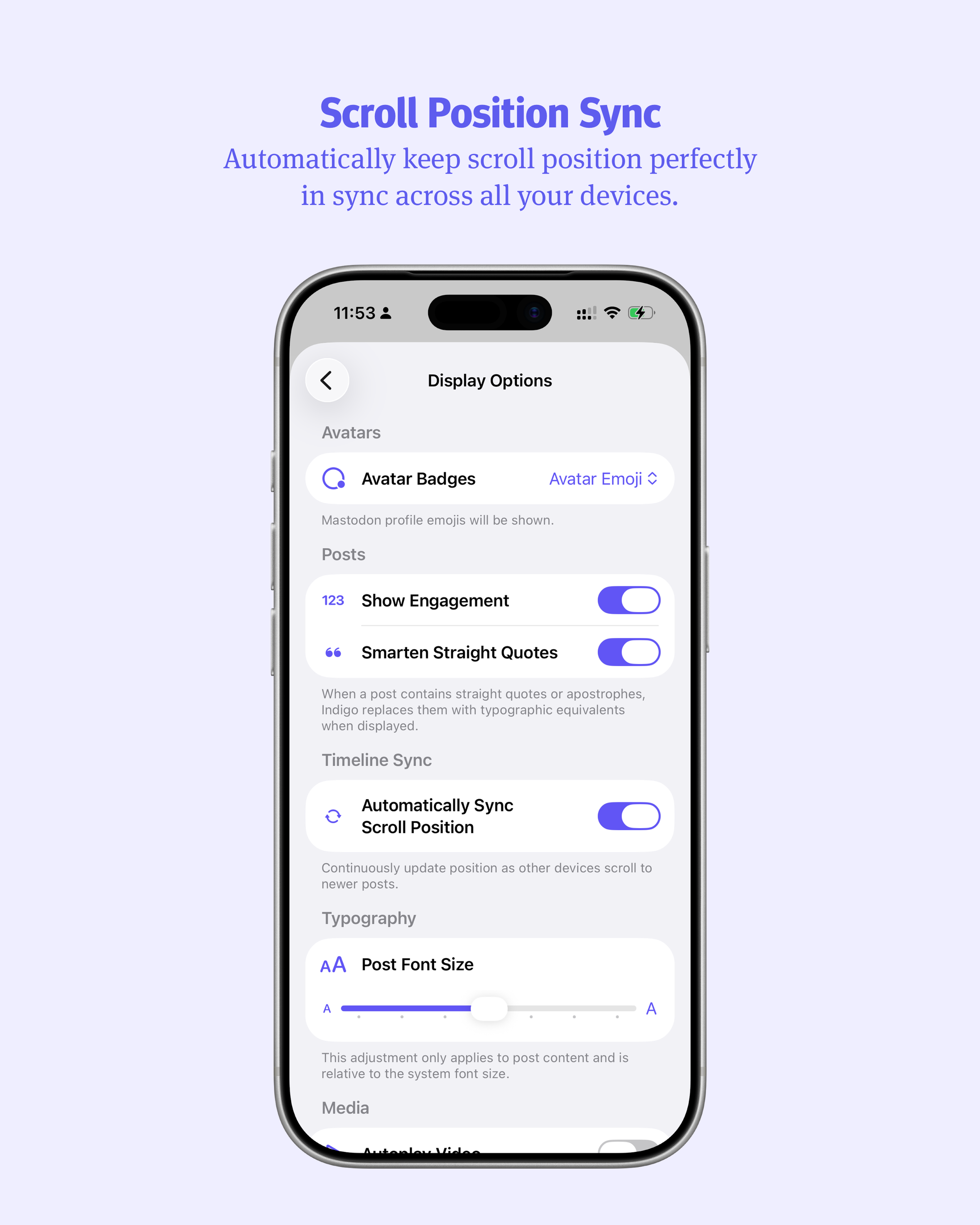
Scroll Position Sync
This one isn’t strictly a new feature. We had it enabled at launch, but it was a little rocky so we disabled it until we were happy with it. Now we’re happy with it, and your timelines stay in sync across devices automatically. You can scroll on your phone and watch Indigo on your Mac update moments later.
All our great scroll position features still remain, so if anything does get out of whack, you can reset your saved scroll position manually.

Profile Editing
When we launched Indigo, there were a bunch of features that felt almost essential, that we decided we had to forego or we’d never ship. Profile Editing was one of those features. I was sure someone was going to complain loudly about our app lacking such a basic feature. Well no one ever did, and now we have it so I guess that’s a win. But yeah, you can update your bio and your avatar and stuff. Exactly what you’d expect.

Bluesky OAuth Sign In
This one has been a long time coming. Both Indigo and Croissant depend on the fantastic ATProtoKit by Christopher Jr Riley and so we couldn’t adopt OAuth until it was fully supported by the project.
The downside is Bluesky requires you to re-authenicate every so often, but Aaron has done everything he can to make that as frictionless as possible.

Bluesky Labellers
Bluesky supports labellers which are a clever system of applying arbitrary metadata to accounts. One displays “Bluesky Elder” for accounts that have been around since the early days, others are opt-in labellers to display pronouns. Some warn of bad behaviour. They can also be used to hide posts like algorithmic mute filters.
Indigo now lets you see those labels in the timeline and manage them in settings.
But wait, that’s not all
There are, of course a bunch more improvements that don’t each need a paragraph of explanation. Here’s what else we’ve done:
- Support for Bluesky’s new video size limits
- Open links when pasted into Search
- Use Escape Key to close Media Windows
- Tenor GIF support
- Load more Replies at once (25 instead of 10)
- Crosspost pairings are more resilient to being split apart
- Crosspost detection has been improved
- Fetching replies in Post Detail views is faster
- Fetching embed Quote Posts is more reliable
- Added Profile Photos to some Notification Post types
- Improvements to filtering of Bluesky threads
- Follow State is updated more proactively
- Search Results now prioritise accounts based on interaction
- Improved caching, disk usage, and memory usage
- More consistent Interaction Counts across contexts
- Sub-second sorting of posts
- More accurate follower and following counts in some contexts
- Improved detection of handles in post content
- Fixes to Search Results layout
- Fixes to the macOS Search Bar and Toolbar
- Fixes for Delete and Edit of Bluesky replies
- Fixes for UI hiding in Media View
- Fixes for closing Media View
- Fixes for Mac Media View positioning
- Fixes for Timeline scroll jumping
- Fixes for Launching with stale data
- Fixes for Media Only Post Layout
- Fixes for Media in Direct Messages
- Fixed some layout issues in Post Detail replies
- Various minor UI fixes for consistency.
Now, you should be so impressed that you run around to all your friends, screaming about how great Indigo is, and they get so uncomfortable that they all subscribe just so you’ll act normal again. We beseech this of you.
For real though, as happy as we are with Indigo, we have been struggling to get the word out to a wider audience and we could really do with all the help we can get. It would mean a lot.