Indigo

I’ve long believed that social media is not about condensing the entire human experience into bite-size nuggets, fed to you endlessly. I think social media should exist to help you stay in touch with the people you care about most. And over the last few years, that seems to be increasingly hard. The landscape of microblogging apps is deeply fractured, making it hard to stay up with the people you follow and even harder to make your voice heard. Algorithms mediate the information you see, rarely in service of a better user experience, and often they’re heavily biased to match the whims of their owners. It sucks, and it’s far from the experience I had in the early days of social media.
In 2024, Aaron Vegh reached out to me, asking for help design help with a blogging platform he’d been working on. While working on that, I flagged one of Aaron’s features, the ability to cross-post blog posts to Mastodon, as having a lot of potential. I even suggested that an app focused on cross-posting might be a more practical endeavour, and after a few mockups of what I had in mind, Aaron was convinced. A few months later, we launched Croissant, an app that allows you to post simultaneously to Bluesky, Mastodon, and Threads. It was an instant hit, resonating with users who felt spread thin trying to post everywhere, especially with independent creators like ourselves.
But there was one piece of feedback we heard again and again, something we’d already been thinking ourselves; posting is great, but wouldn’t it be amazing if you could also combine your timelines into one app? Naturally that would be a much bigger, much more complicated undertaking, but we knew if we could build it, it would be an unbeatable experience. So that’s what we did.
Meet Indigo
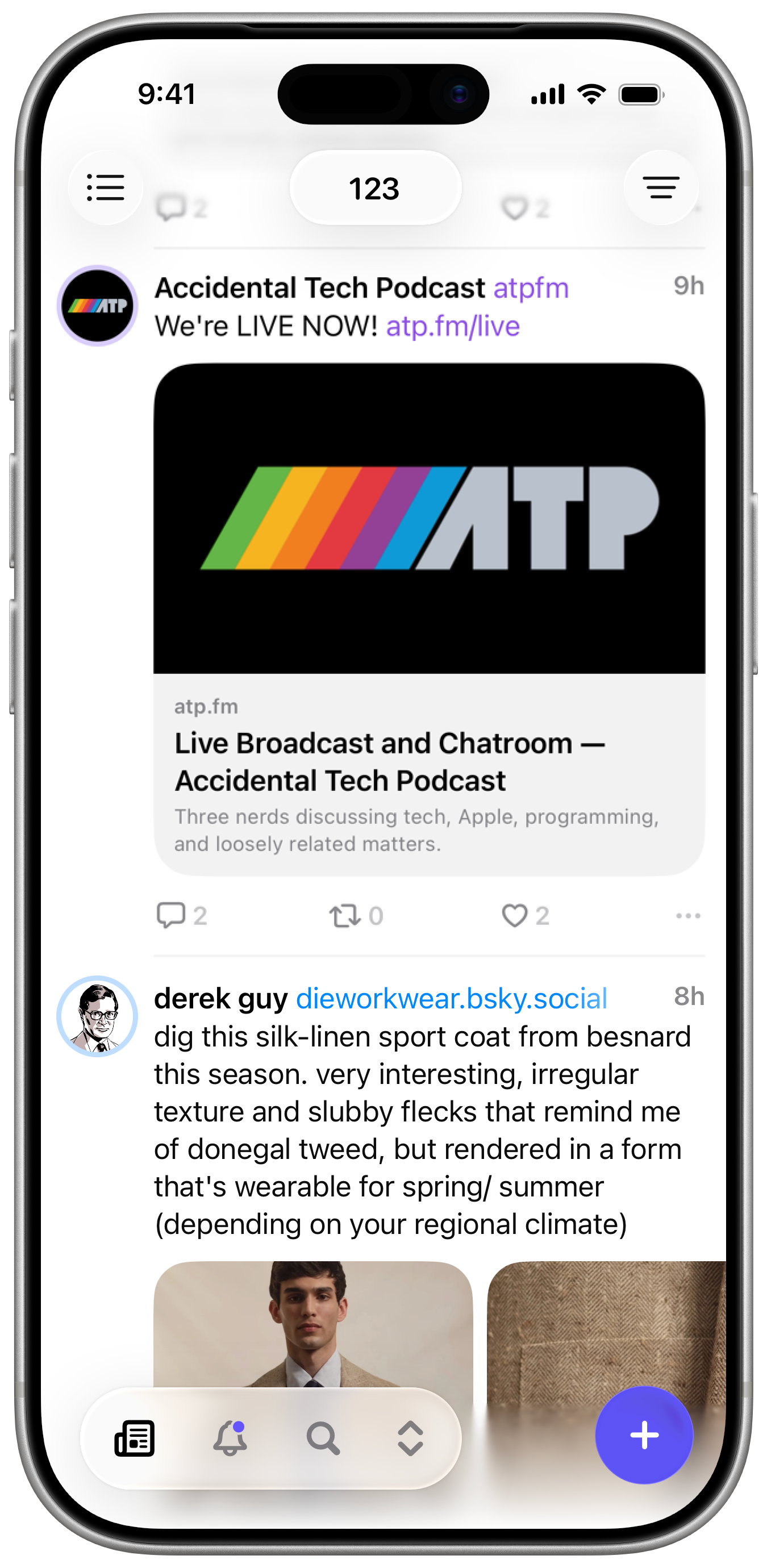
Indigo brings together Bluesky and Mastodon into a single, unified experience. While we’ve built it around the idea of unifying both services, it’s also great to use with just one. (Threads’ API only allows for the creation of posts, not fetching your timeline for display, so it was a non-starter for Indigo.)
There’s a lot of complexity in supporting two different social networks, built using two different protocols designed with very different ideologies, but Aaron has taken a Herculean task and made it seamless. Indigo fetches posts from both services, builds it’s own timeline, interleaving posts so their chronology is preserved, and automatically detects and combines duplicate posts,
Once we had a working prototype, we knew we were onto something good. And our early beta testers agreed; once you’d tried the unified timeline, using multiple apps felt like a chore. That enthusiasm was incredibly motivating as we worked through all the bugs and performance issues.
We had to be judicious with the features we decided to launch with, and while some omissions might grate at first, it let us focus on making the core experience as beautiful and polished as we could.
UI & Liquid Glass
Indigo has been built from the ground up for Apple’s latest operating systems. While I know there are some holdouts still on iOS 18 and Sequoia, there were some navigational changes in the 26 releases that were crucial for Indigo.
I don’t love every aspect of Liquid Glass but I like how the floating controls make scrolling views feel more open and airy, which has a huge impact on the feel of Indigo. We built a custom tab bar that’s more flexible than Apple’s, allowing us to show a menu for additional navigation on iPhone as well as a compose button that adapts to the current context. Full credit to the folks at Linear for inspiring this. I hope Apple copies it and makes it a system component.
On Mac and iPad, there’s a compact sidebar that lets you quickly move between sections of the app. It’s not Liquid Glass because I don’t think that makes sense for sidebars.
Timeline
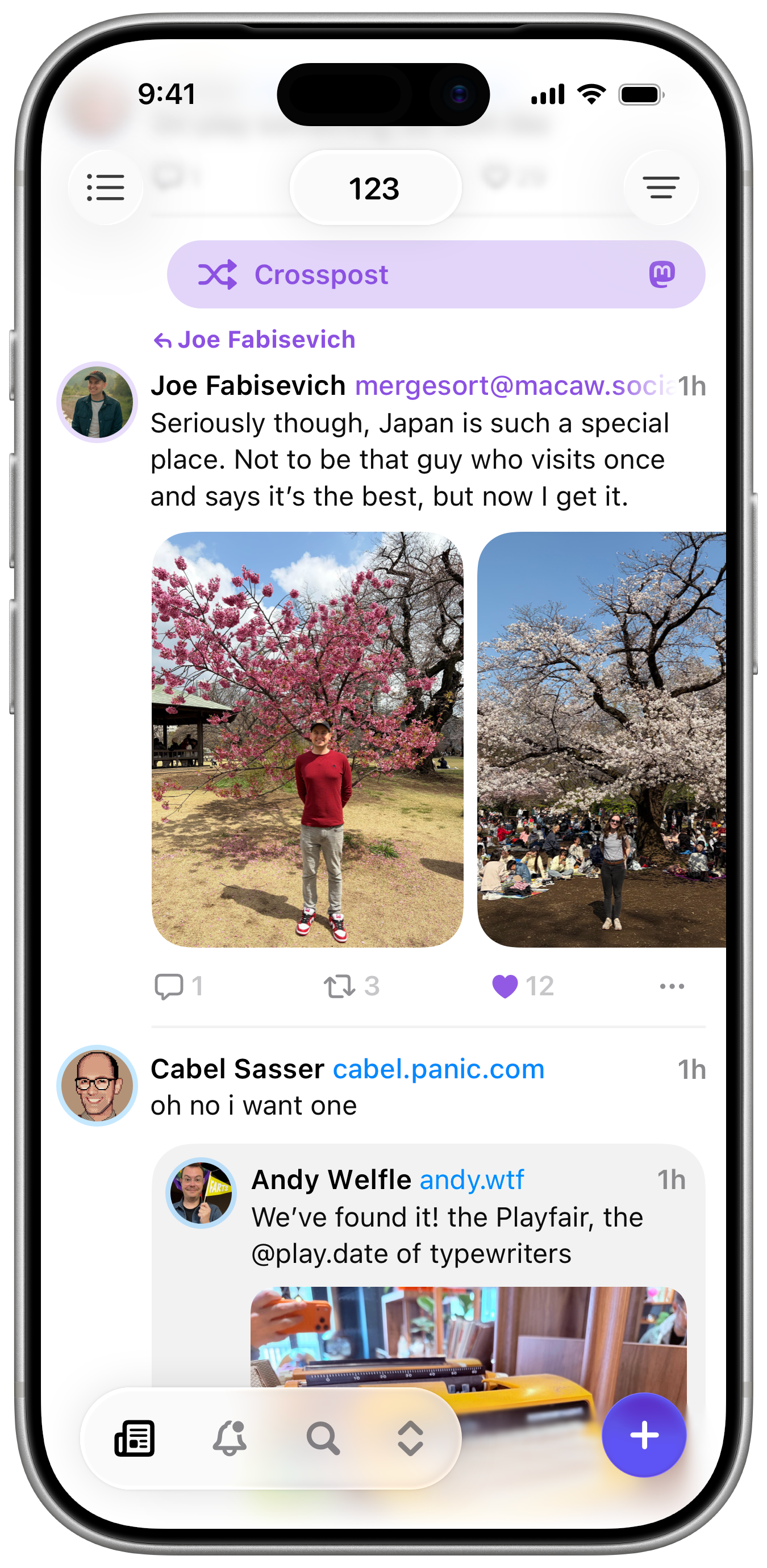
The timeline is the heart of any microblogging app and it’s been the focus of most of our efforts since we started. You would not believe how complicated it is to take a scrolling list and make it update as new posts are fetched and merged from both services, media and link previews load in asynchronously, posts are deleted, your scroll position is synced between devices, and keep it all scrolling smoothly at 120 Hz. All credit to Aaron who worked on this tirelessly as I barged him with feature requests and bug reports. It’s not perfect, we’ll be the first to admit, but it’s close and continues to improve.
Posts from both services are displayed inline, using colour to indicate which service they’re from. It feels incredibly natural and you quickly stop thinking of them as separate.
Cross Posts
Indigo will automatically detect when a post is duplicated across both networks. If the content is very similar and they both appear within a few minutes as each other, Indigo will merge them so you’re not seeing them twice. You can toggle between each version as well as perform actions like quoting or replying to both posts simultaneously. We’ve done a lot to make the experience of using two different services at once feel seamless.
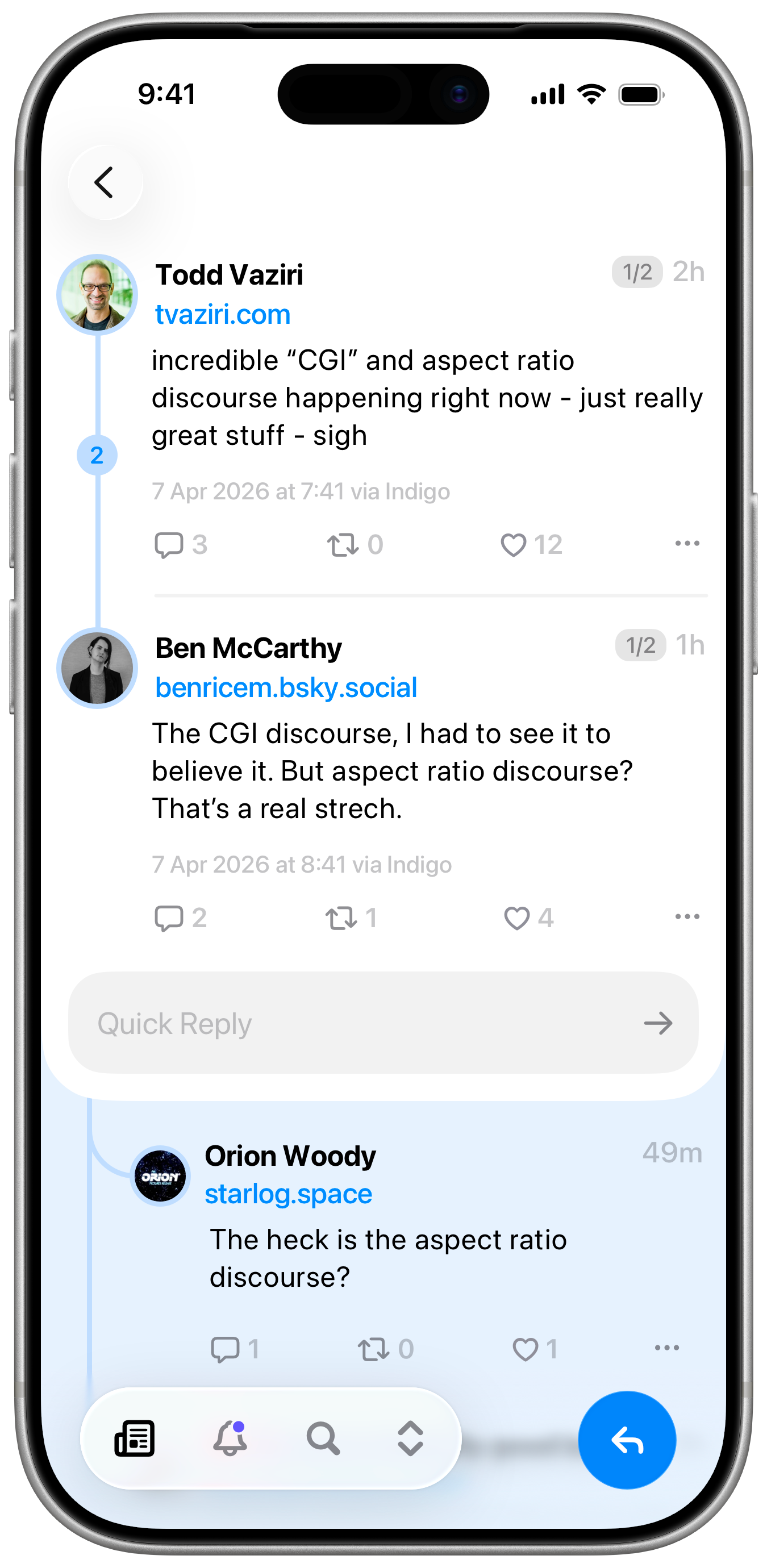
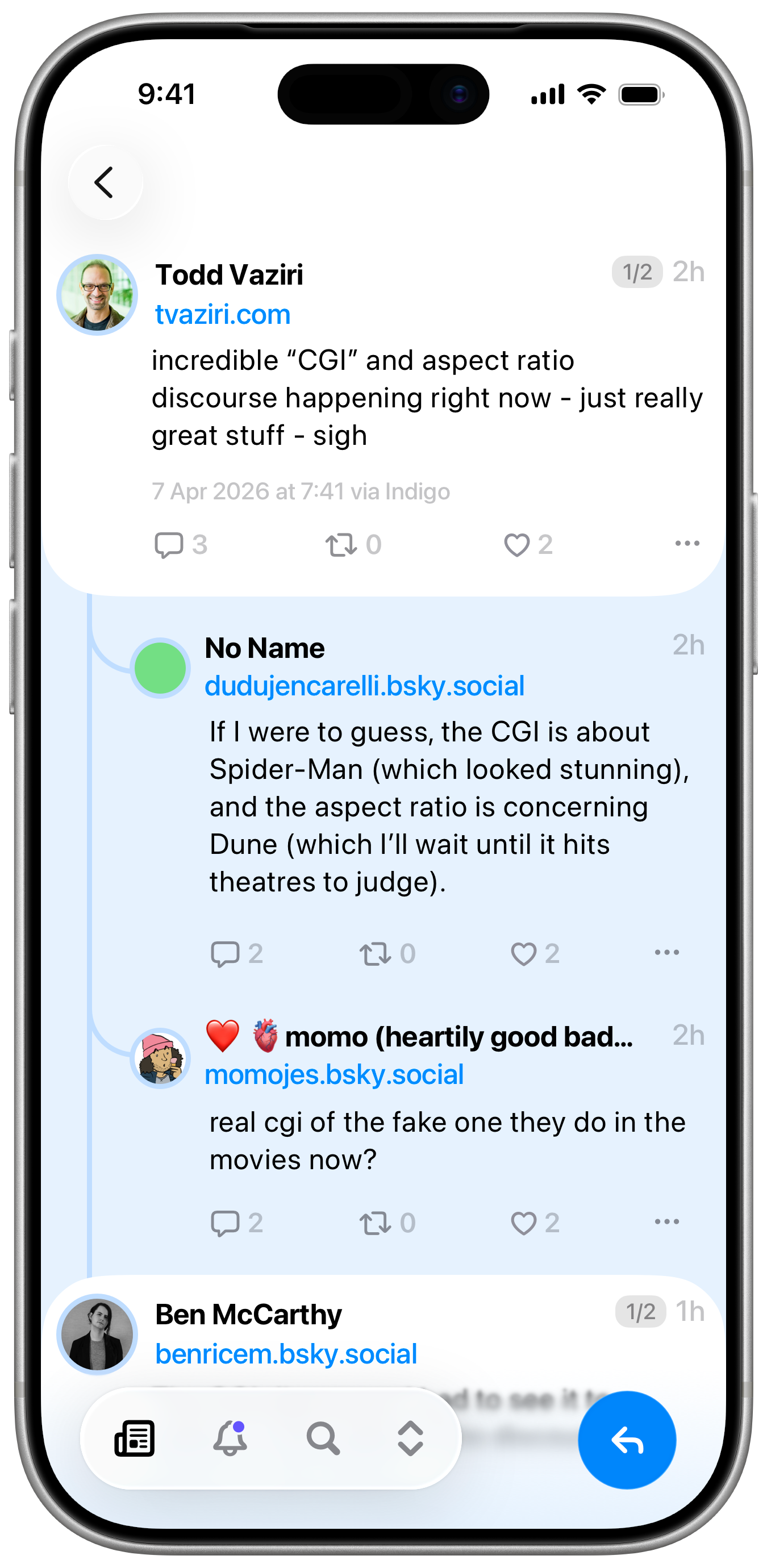
Indigo’s Post Detail View, with a thread expanded to see replies
Post Detail & Threads
The post detail view is one of the most important for any social media client because it has to present the user with a lot of information and context at once. And complicated views create great opportunity to innovate. I looked around at other apps, not just microblogging clients, but apps like Slack and Reddit for how they handle threads. Any given post can have multiple replies branching out recursively creating an entire tree of branches. When you open a post, Indigo checks to see what users have been part of the conversation so far and checks the replies to see if that conversation continues, so it can display it all as a single thread. There’s even a handy little counter so you can instantly know if you’ve opened up a lengthy argument you have zero time to get involved in. Offshoot replies are still visible, you just tap the ribbon on the left to see them. It’s a little unusual at first but it quickly grows on you.
Composing
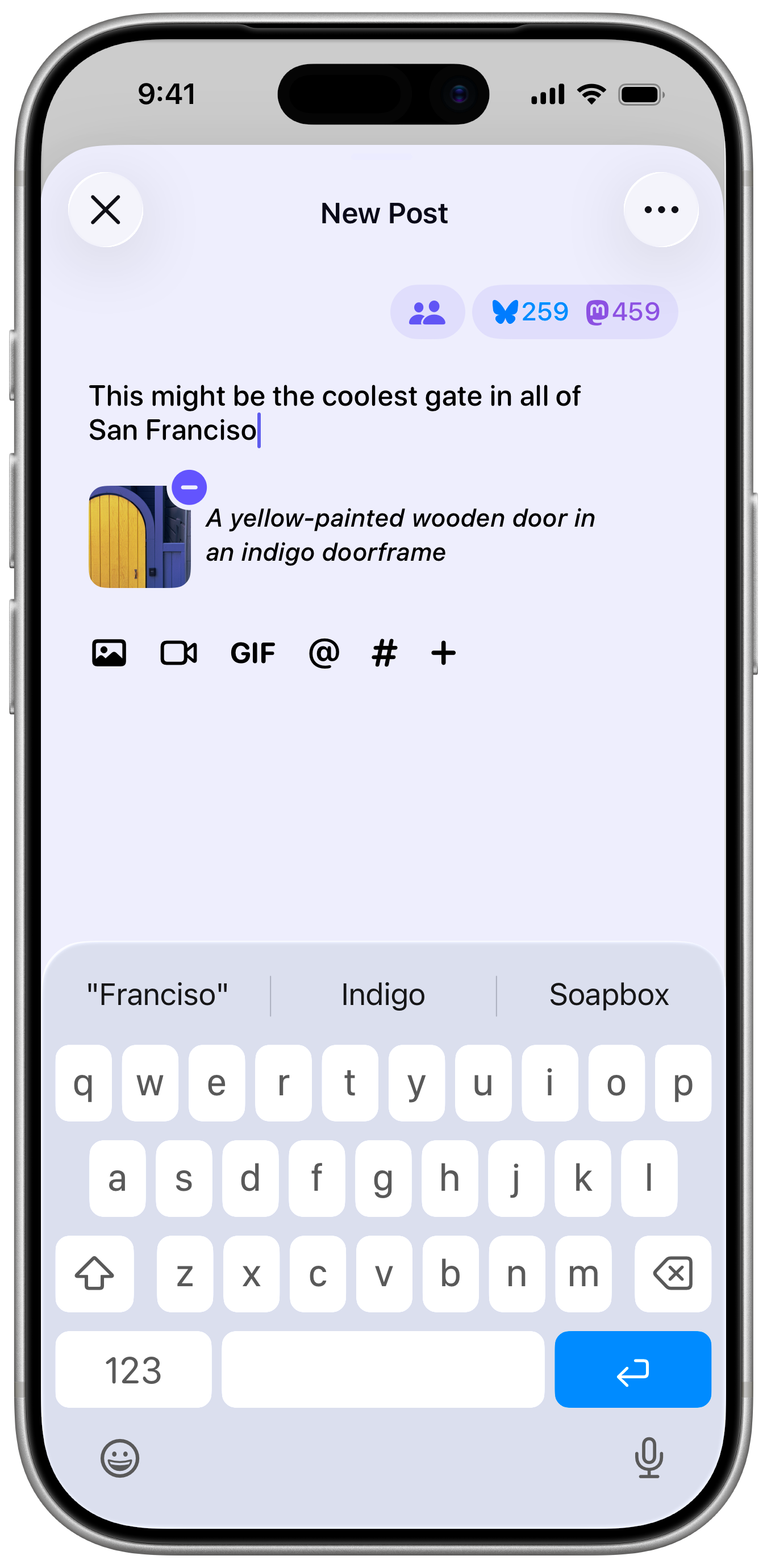
We’ve iterated on the compose view we built for Croissant, trying to simplify things a little bit and account for the fact that you’ll be replying and quoting in Indigo, rather than just creating new posts like in Croissant. In particular we’ve tried to make the audience options more obvious.
One of the things we emphasised in Croissant was the importance of alt-text. You can type it without having to leave the compose view, and the app can also detect text in an image and copy that as the alt-text with a single tap.
Notifications
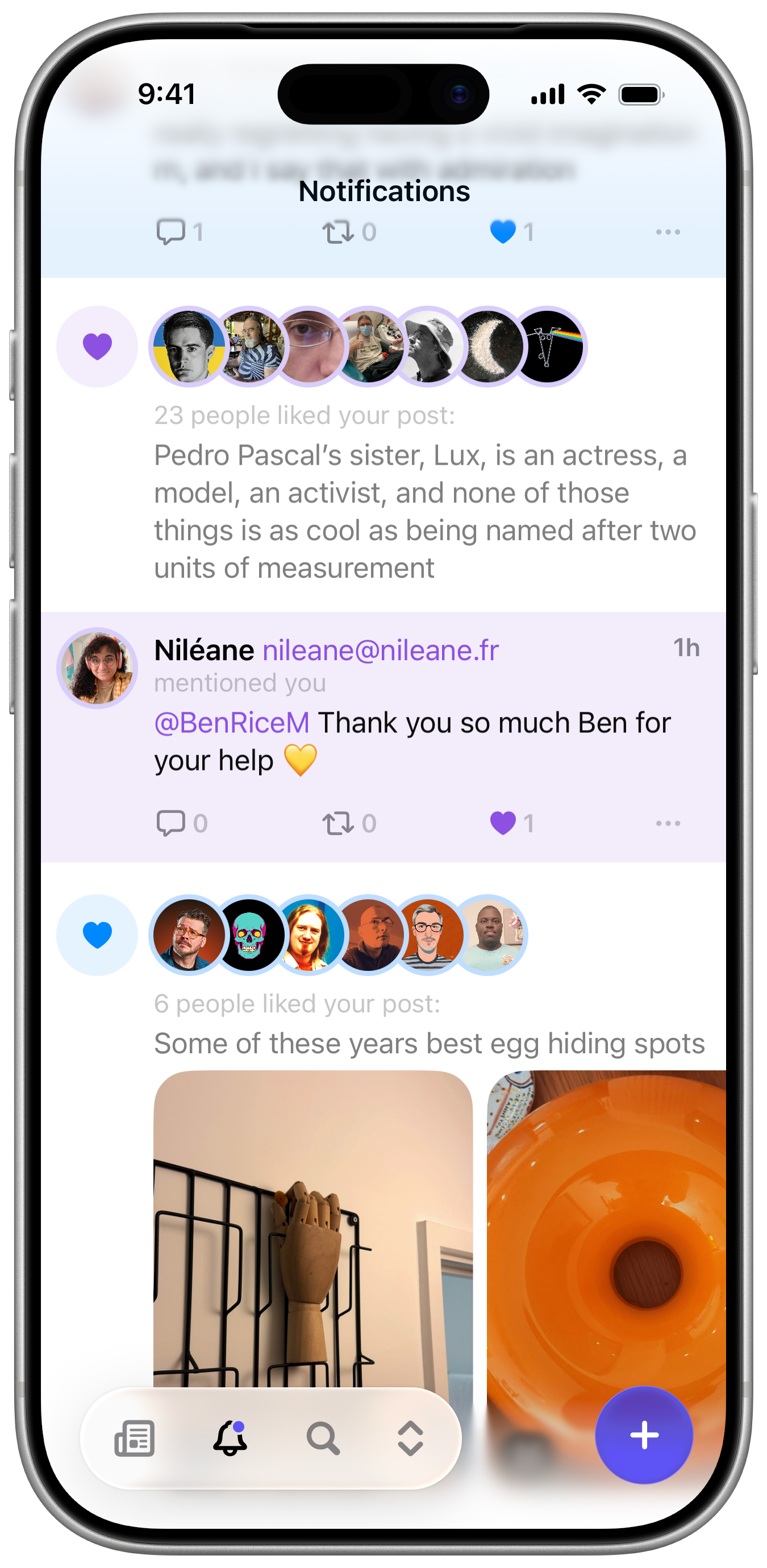
The Notification View is another area we put a lot of time and thought into. Likes and Reposts are grouped, replies and quotes are tinted for more prominence.
Messages
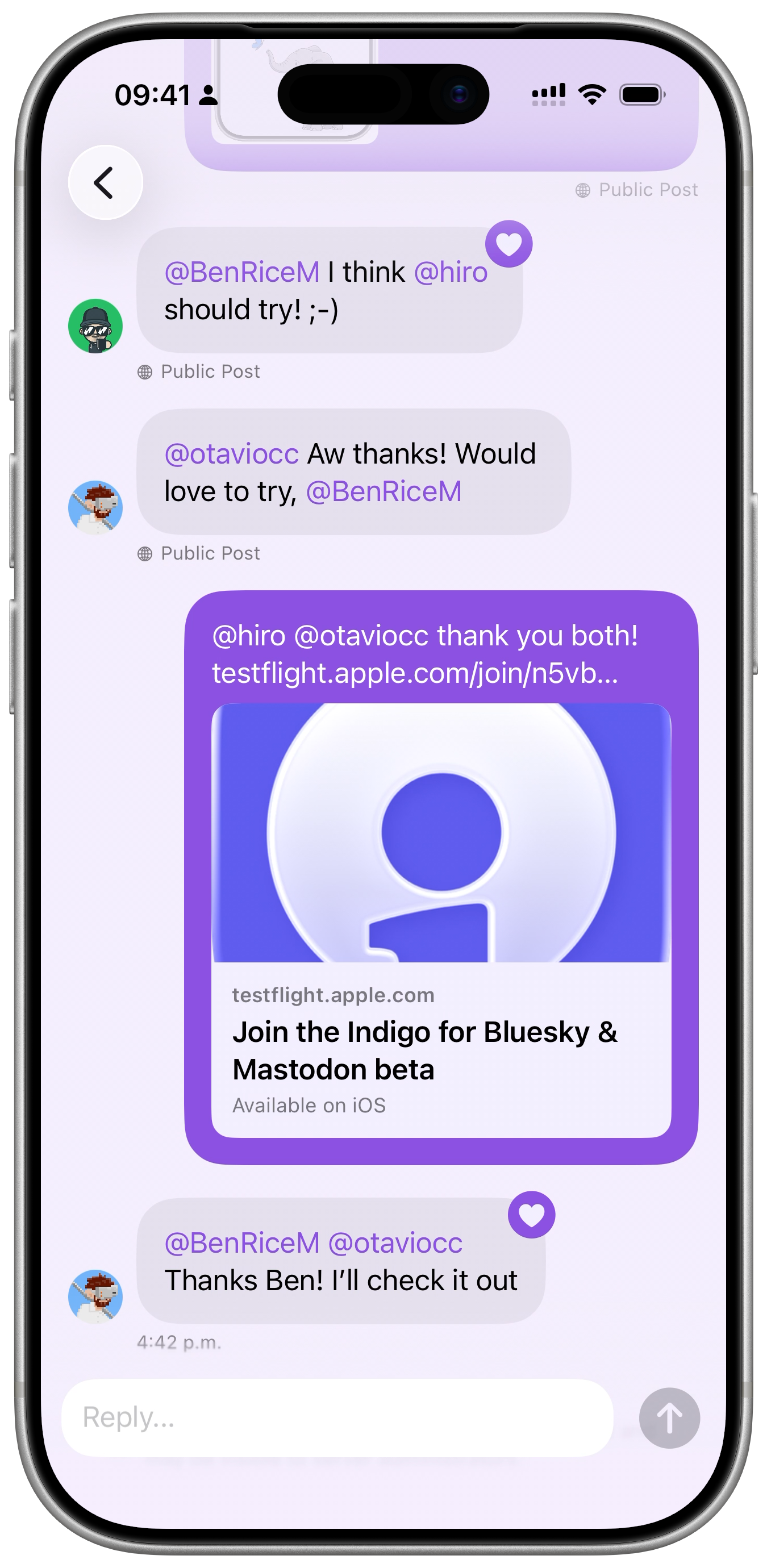
Bluesky and Mastodon have very different approaches to messaging. Bluesky has a proper direct message system, whereas Mastodon uses private posts. We wanted to add a little consistency, so Mastodon private posts also display as conversations, and you can tap to view the original post if necessary. There’s also a warning for Mastodon users to keep in mind that private posts aren’t encrypted and might be visible to your server admin.
On iOS, the notifications tab will also let you know if you have any unread messages, because you’ll probably be checking there more often.
Profiles
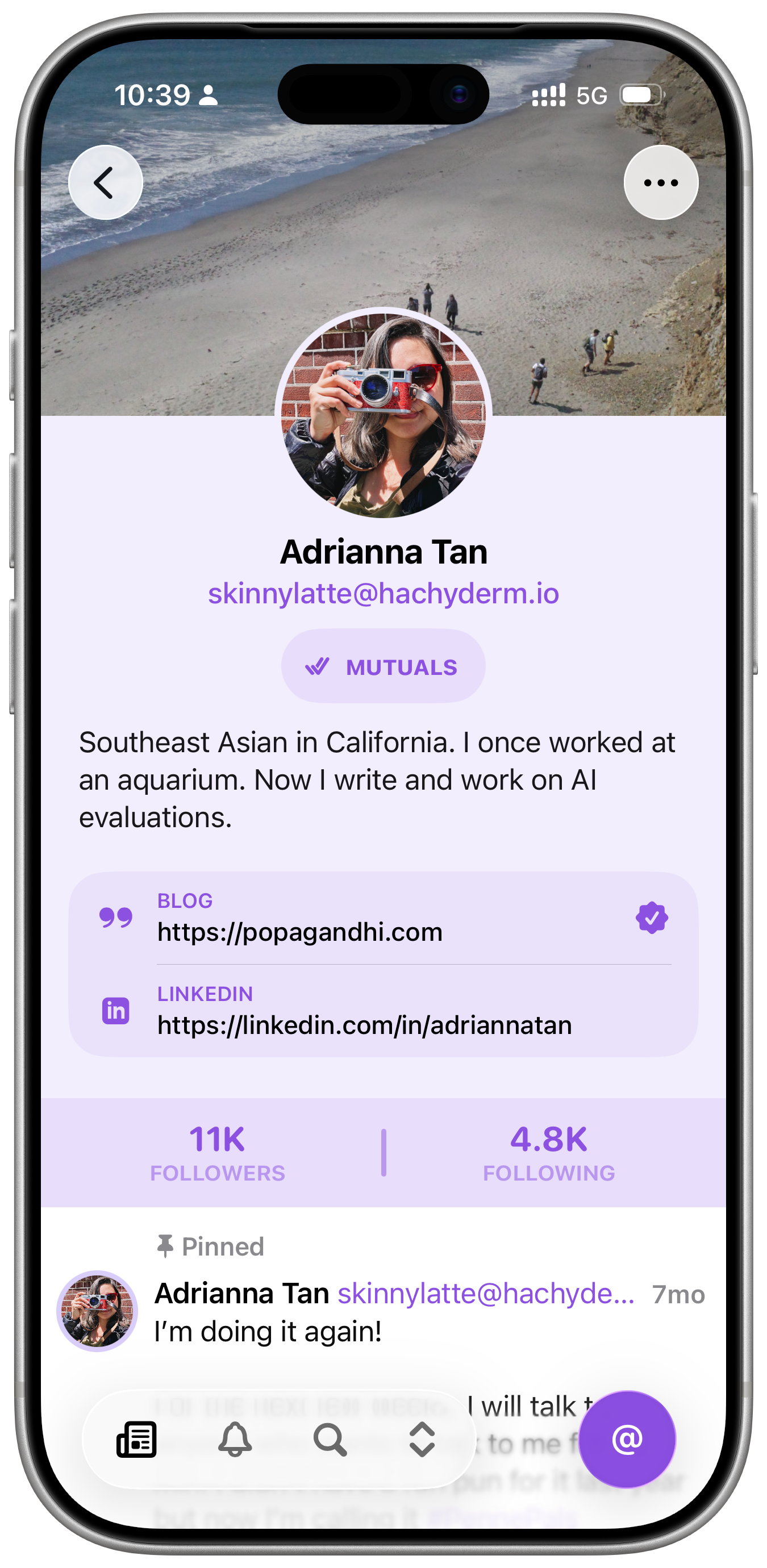
For the profile view, we wanted to keep things clean and simple. So we did. For Mastodon’s custom fields, I included some fun custom icons. The menu in the top right includes controls to message, block and report accounts.
Search
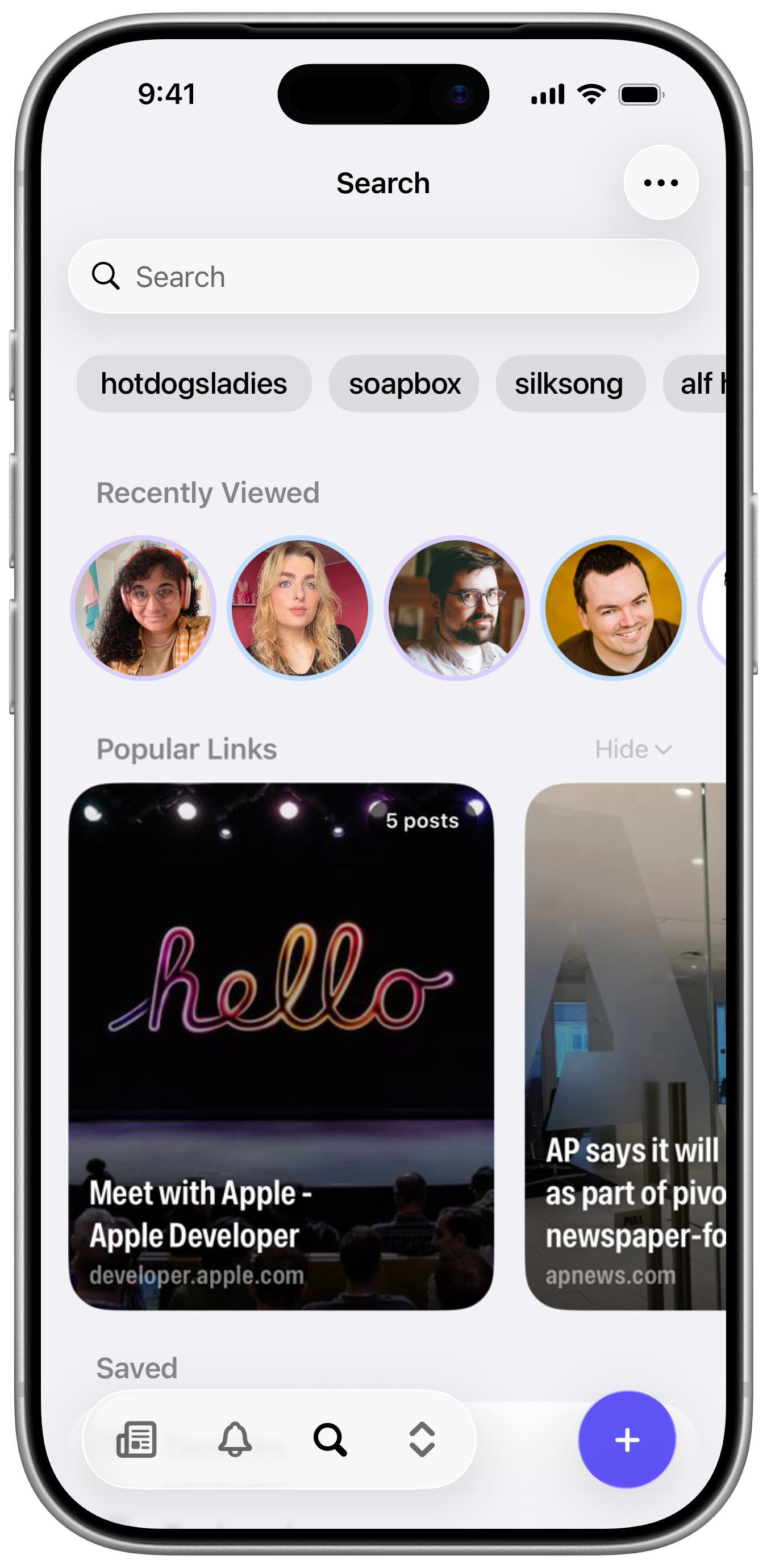
The Search View features a few ways to help you find what you’re looking for, including recent searches, recently viewed profiles, and popular links among the people you follow. You can also tap on the magnifying glass in the tab bar to quickly focus the search field. We wouldn’t want you to strain your thumbs stretching all the way to the top of the screen.
Nuzzle was a source of inspiration for the popular links feature and it’s something we want to expand on more in future.
Platforms
Indigo is built for iOS, iPadOS and macOS (using Catalyst). This was a pretty huge undertaking for the first version of the app, but we knew it was essential for how a lot of people engage with social media. I’ve been primarily focused on the iPhone version, while Aaron’s focused on the Mac. These means that the iPad version has had the least attention, so if you spot any weirdness, please let us know.
Indigo is not built for visionOS. If anyone at Apple would like to send us a couple of free Vision Pros, we’ll think about it (they’re probably just sitting around warehouses gathering dust, right?). Indigo is also not built for Apple Watch. You do not need social media on your wrist, we’re quite certain of that.
Pricing
Indigo has a premium tier which we’re calling Ultraviolet. Without paying for Ultraviolet, Indigo is essentially in a read-only mode. You can see posts, but you can’t interact with them. The premium experience is very much the intended one.
Ultraviolet costs $4.99 per month, $34.99 per year, or $119.99 as a one-time purchase. We’ve used pricing parity to adjust worldwide prices (thanks to Helm for making this a breeze).
Please keep in mind:
- Indigo is a third party client for Bluesky and Mastodon. We don’t control their APIs or product roadmaps and it’s possible that they could remove features at any point
- While we have no current plans to limit features based on whether you subscribe or use the one-time purchase, we reserve the right to do so if necessary.
We’re just getting started
It’s been a long road to get here. I don’t think either of us knew when we started how big an undertaking this would be. We’ve had to juggle our work on Indigo with Aaron’s day job, my other apps, my move to London and y’know, everything else the world is just constantly been throwing at all of us. At a couple of points we almost completely thew away almost everything we’d built and started again from scratch. Once to try redo the timeline in SwiftUI (a terrible idea) and again after WWDC 25, when a lot of the custom UI behaviours I was trying to achieve suddenly became available by default, if we adopted the latest OS releases. It was rough, and progress felt almost non-existent for much of 2025, but it got us closer to the app I had envisioned from the start.
At the start of this year, the core functionality of the app was finally in really good shape, and we realised it was time to start aggressively cutting planned features and focus on polishing what we’d already built so we could launch. After a few hurdles setting up a new business and a new developer account with Apple, here we are, finally ready to release Indigo into the world.
There are a million features, big and small, that we decided to push back until after launch, many of which it pained me to delay. But the upside is we can now build more in public and get feedback from users about what matters most to them so we can grow Indigo together.
And bringing people together is what it’s always been about.
Ben & Aaron